PS2 Character Generator
A PS2 filter for selfies: upload one permitted selfie to turn a photo into a PS2 character — a losercore photo or image in one of five lonely PS2-style scenes. Keep Image selected and download the PNG when it is ready. Sign in so the generator can associate uploads, jobs and credits with your account. After you sign in, your first still is free with a watermark: one per account and device, stills only, and a daily cap may apply. Video always uses credits.
Style: PS2
1. Your photo
One clear photo of a face. JPG, PNG or WebP, up to 10MB.
Sign in to upload a photo. Your first still is free (watermarked); more stills and videos use credits.
Free first still
Sign in to make one free watermarked still. Video costs 10 credits.
One free still in total, whichever style or page you use.
Pricing, free-still rules and AI models
Before you generate
- Sign-in is required to upload a photo and generate.
- Free first still: after you sign in, you can make one free still with a losercoreai.com watermark, limited to one per account and one per device. Video is never part of the free still, and a daily cap may apply.
- Paid: a still costs 2 credits. A video costs 10 credits and includes the still.
- A paid generation that fails refunds its credits.
AI models
Images are AI-generated with Nano-Banana-2 through HiAPI.
Supported video models through HiAPI: Kling 2.5 Turbo, Hailuo 2.3 Fast, PixVerse v6 and Seedance 2.0 Mini. The model used depends on service settings and availability.
This is an independent service, with no official affiliation with or endorsement by these model providers.
Result
PS2 character generator example clip
Original AI-generated example clip for illustration, not output of our generator; no real people.
Need movement instead of a still? Compare three real PS2 video examples before starting a separate 10-credit video with its own still stage.
Real demo samples: five lonely PS2 stills
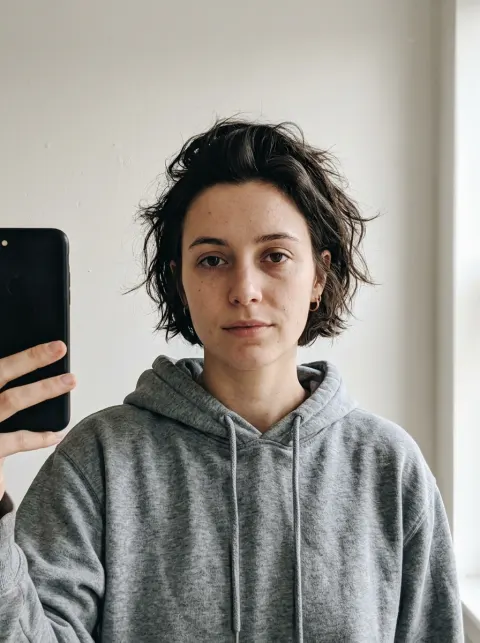
Example stills from the five lonely presets (demo face). The PNG outputs are shown as resized, compressed WebP previews. The input selfie is AI-generated and shows a fictional person, not a customer or a real individual. Your result will differ with your photo. Want the moving clip? See all video examples or start on photo to PS2 video.
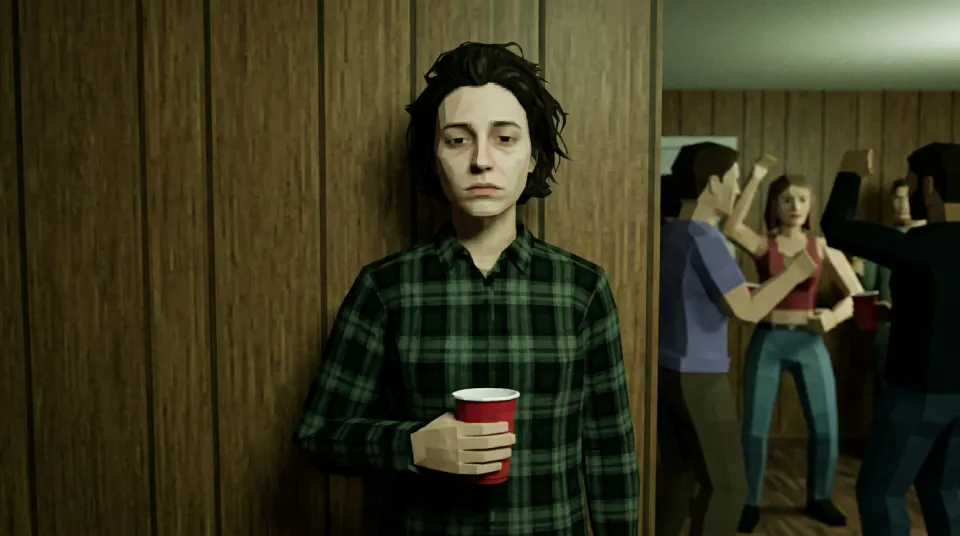
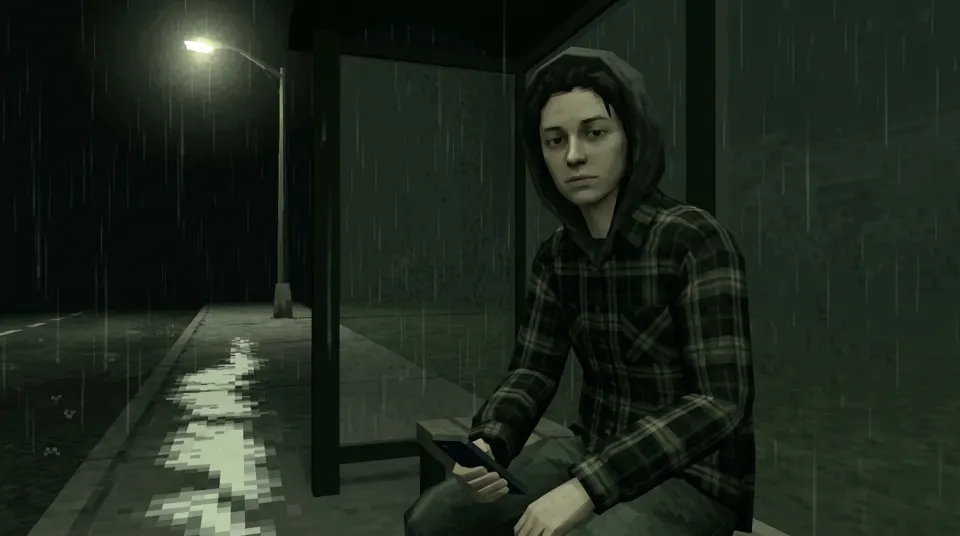
Choose the setting for your scene
Start with the mood you want. Each preset places your selfie in a different low-poly setting. The image and video options use these same five scenes, and the setting is what changes between them.
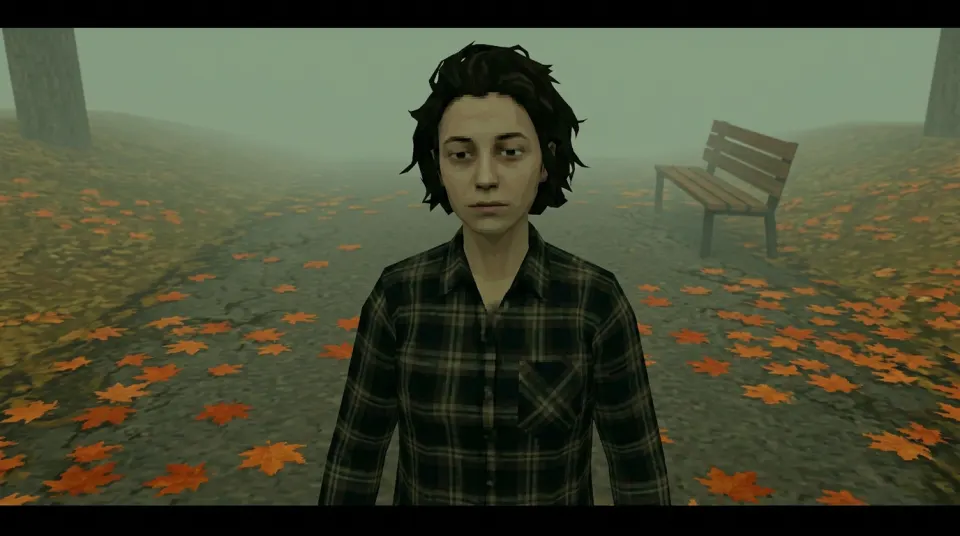
- Foggy park
- Autumn leaves, an empty bench, a long sigh.
- Standing on a foggy autumn path beside an empty bench, with orange leaves.
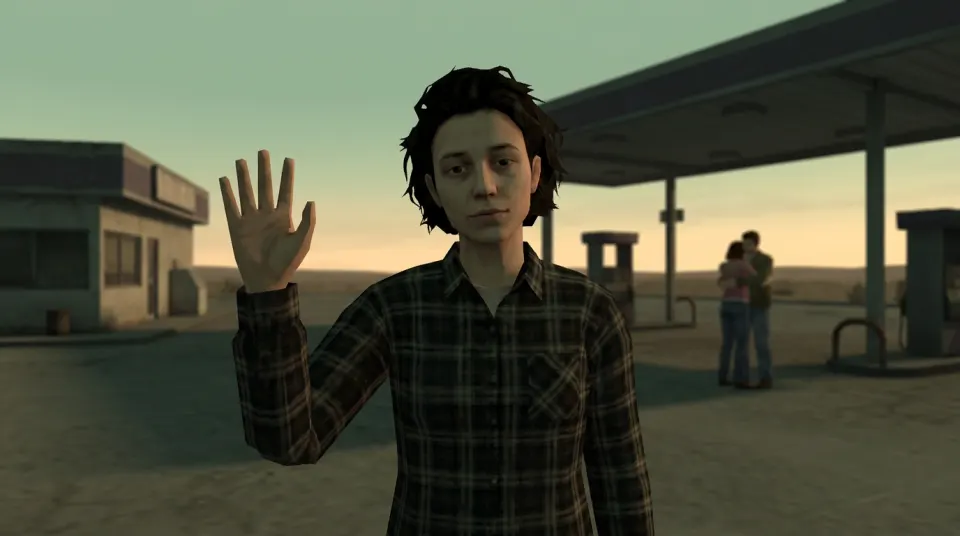
- Gas station sunset
- An awkward wave while a couple hugs behind you.
- An awkward wave at an empty sunset gas station, with a distant couple hugging.
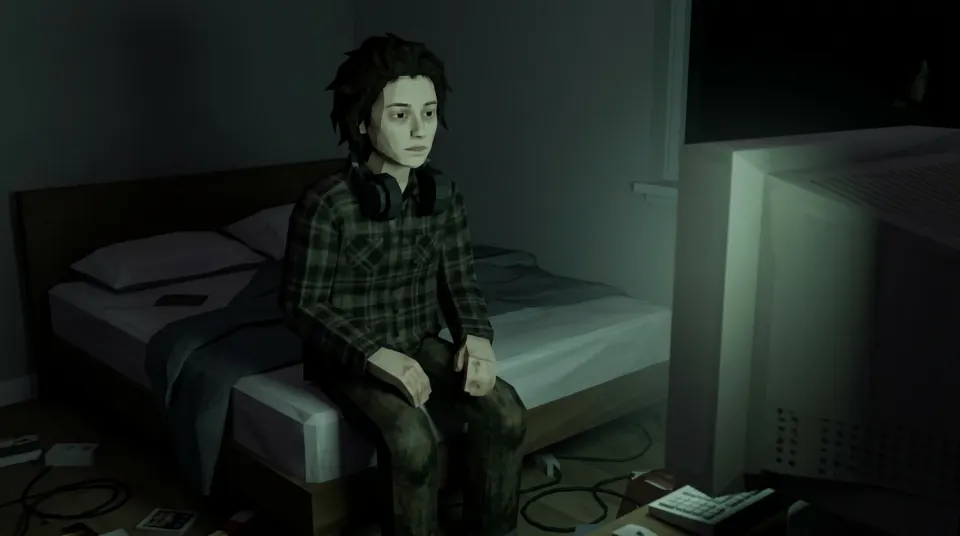
- 3 a.m. bedroom
- Monitor glow, headphones on, nobody texting back.
- Sitting alone on a bed at night, lit by a monitor, with headphones.
- House party wall
- Red cup, everyone dancing, you holding up the wall.
- Standing against the wall at a house party with a red cup while others dance.
- Rainy bus stop
- Hood up, flickering street light, the bus isn't coming.
- Sitting at a rainy night bus stop under a flickering street light, hood up.
Selfie to PS2 image facts
These settings are what the generator requests. The examples on this page come from an AI-generated face, not a customer photo. Your result is made from the photo you upload, and likeness can differ.
- What photo can I use for the PS2 filter?
- Use one JPG, PNG or WebP selfie up to 10MB that you have permission to use. A clear, visible face works best.
- Which five PS2-style scenes can I choose?
- Foggy park: Standing on a foggy autumn path beside an empty bench, with orange leaves. Gas station sunset: An awkward wave at an empty sunset gas station, with a distant couple hugging. 3 a.m. bedroom: Sitting alone on a bed at night, lit by a monitor, with headphones. House party wall: Standing against the wall at a house party with a red cup while others dance. Rainy bus stop: Sitting at a rainy night bus stop under a flickering street light, hood up.
- What file does the PS2 character generator download?
- The download is a landscape 16:9 PNG at 1K resolution. It is a flat image. It does not include a rigged character, a 3D model or a game-ready asset, and it is not a PlayStation 2 emulator or a music file.
- How much does a PS2 image cost, and what happens if it fails?
- A paid image costs 2 credits. A paid video costs 10 credits. After you sign in, you can make one free still with a losercoreai.com watermark. It is limited to one per account and one per device, and it covers stills only, so video always uses credits. A daily cap on free stills may apply. A paid still that fails refunds its 2 credits. A failed free still charges no credits, and that trial use stays spent.
How to use this PS2 filter (selfie to PS2)
The PS2 filter look combines blocky shapes, worn textures and muted lighting, like an early-console cutscene. This generator places the person in your photo into a new lonely scene with that feel. It does not run a PlayStation 2 emulator or export a 3D mesh.
Some people call this a PS2 character filter or PS2 face filter. It redraws your face as a low-poly game character instead of laying a texture over your photo. New to the look? Start with the PS2 filter online overview, or read how to turn a photo into a PS2 character.
Searches for losercore images usually mean these PS2 / low-poly selfie stills: static PNG scenes, not anime art packs. Identify the beanie guy or blue-and-pink couple on the losercore characters guide, or crop a paid still for Discord or Steam on the losercore pfp page.
- Sign in and upload a clear face selfie you have permission to use. JPG, PNG or WebP, up to 10MB.
- Choose a foggy park, sunset gas station, monitor-lit bedroom, house party or rainy bus stop.
- Keep Image selected, check the available generation option and submit your photo.
- Preview and download the finished 16:9 1K PNG image.
For copyable scene recipes and photo tips, explore the PS2 filter prompt guide. Want a square profile picture? The losercore avatar generator adds local crop controls for a completed paid still.
Looking for a story before making a separate paid clip? Explore five original losercore meme ideas, each matched to an existing PS2 scene and motion preset. Add captions and licensed music later in your own editor.
Image output is a landscape 16:9 PNG at 1K resolution. Frame your photo with the face clearly visible and review the generated result before sharing. The download is a flat image; it does not include a rigged character, a 3D model or an asset ready to import into a game.
Image options and credits
A paid image costs 2 credits. A paid video costs 10 credits and includes the still-to-animation process. You can switch to Video in the generator when you want movement. See credit packs and pricing before choosing a paid option.
After you sign in, your first still is free with a watermark: one per account and device, stills only, and a daily cap may apply. Video always uses credits.
Explore the losercore look
For an animated scene, use the losercore AI video generator. If you came here from a playlist meme, read what losercore means or open the playlist and listening guide. To identify the beanie guy or blue-and-pink couple, use the losercore characters guide. You can create an original scene from your own permitted photo;Losercore AI is independent of the Spotify playlist and its creators.
PS2 character generator FAQ
One permitted selfie, five lonely scene presets, and an optional 6-second video with sound—without training a personal model from a multi-photo set.
- Is this the same as a PS2 filter generator or PS2 graphics AI filter?
- Yes, for photos of a person. The generator works as a PS2 game character filter: it turns your selfie into PS2-style graphics inside a preset scene. It does not filter gameplay footage, and it is a PS2-era look rather than a strict PS1 filter. For the wider PS2 aesthetic, see the wallpaper and pfp ideas there.
- Do I need to train a personal model or upload many photos?
- No. One clear selfie you have permission to use is enough. This generator does not train a personal LoRA or actor from a 10–20 photo set. Sign in, pick a lonely scene, and generate.
- Do group, couple or pet photos work?
- The product is built for a clear single-person face selfie. Group, couple or pet uploads are not guaranteed selling points; a well-lit, front-facing face works best.
- Will the same character lock across generations?
- No. Each job is independent. There is no cross-session character lock that keeps an identical look across multiple photos or revisits.
- Can I use the output commercially or print merch?
- Commercial and merch use follow the terms of service. Do not assume unlimited merch rights or royalty-free resale just because you generated a still.
- Will it still look like me?
- The result is generated from your photo, but likeness can differ. Use a clear, evenly lit face and review the result before sharing; an exact likeness is not guaranteed.
- Is the free trial still watermarked?
- Yes. The free first still carries the losercoreai.com watermark. It is one per account and device, covers stills only, and a daily cap may apply. Video is not included.
- Can I crop the 16:9 still for a PFP?
- The original is a landscape 16:9 PNG. Use the losercore PFP crop guide to export a square from a completed paid still. Trial stills cannot use the dedicated square exporter, and video results cannot be cropped there.
- Are my uploads retained or published?
- Customer photos and outputs are not published. Uploaded photos are kept in object storage; generated media may also be kept by the model provider. There is no fixed automatic deletion schedule, and finishing a job or signing out does not delete them. See the privacy policy and deletion request process.
- Do I need to sign in to use the PS2 photo filter?
- Yes. Sign in to upload a photo you have permission to use. Your first still is free with a watermark (one per account and device; a daily cap may apply). Clean stills and video use credits.
- Is this affiliated with Sony PlayStation? Does it add a HUD, health bar, or game case?
- No. Losercore AI is not affiliated with or endorsed by Sony or PlayStation. It creates a descriptive PS2-style lonely scene still, not an emulator. It does not overlay official HUD elements, health bars or licensed game-case art.
- Can I upload a full-body photo, or should it be a face selfie?
- A clear single-person face selfie is preferred. A full-body photo may run, but a small or distant face can reduce likeness and facial detail. Keep the face clearly visible and evenly lit.
- Can I make losercore photos or images from a selfie?
- Yes. That is what this page is for: one permitted selfie becomes a 16:9 PNG still in one of five lonely PS2-style scenes (a losercore photo/image). Optional 6-second video with sound is separate and uses more credits. Sign-in required; the free first still is watermarked.
- Is this a PS2 character maker?
- Same tool — selfie in, low-poly PS2-style character still out. Flat PNG, not a 3D mesh, turnaround, character sheet or rigged model.
- Can I get a PS2 character 3D model, turnaround or character sheet?
- No. The output is a single 16:9 PNG still in one of five lonely scene presets, not a mesh, rig, multi-view turnaround or character sheet.