PS2 Save Icons: 3D-Style Save Tiles and Emotional Save Cards
On the PlayStation 2, every save on a memory card had its own small 3D icon that turned slowly in the console browser. That tiny, softly lit object is what people mean by the PS2 save icon aesthetic. Here it becomes a meme format: a save slot that reads like a diary entry. Below are sample save cards, how to make the icon from your selfie and what this can and cannot do.
Emotional save card samples
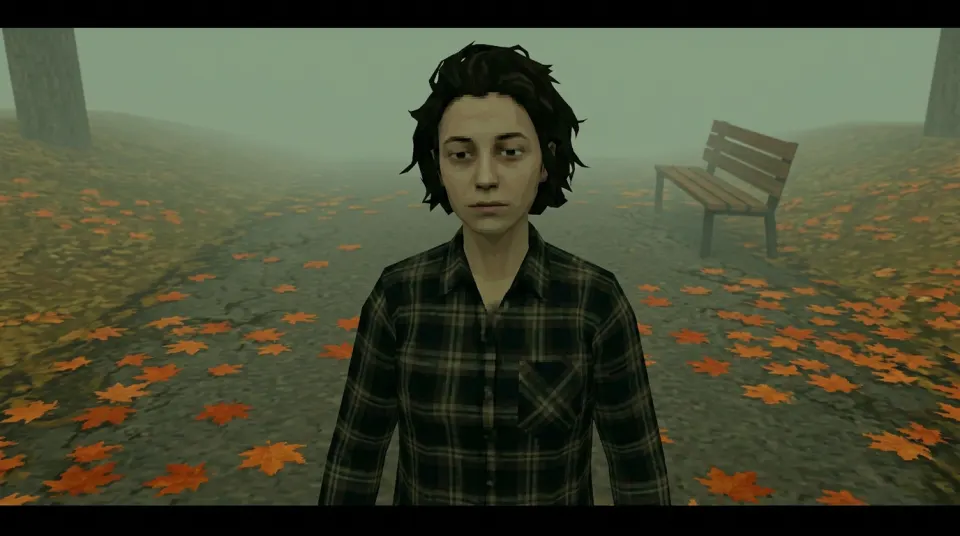
The icon in each card is a square crop of a real demo still. The card itself is an HTML mockup, not a download or a console file. The input selfie is AI-generated and shows a fictional person, not a customer or a real individual.
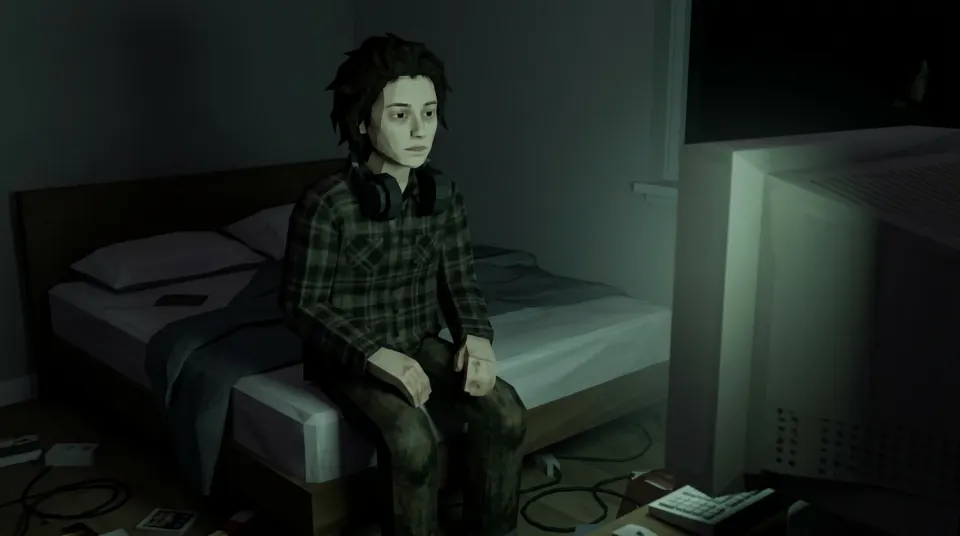
Memory Card · Slot 1
Still Awake
Last saved 3:12 AM
Progress: 0% · Sleep not unlocked
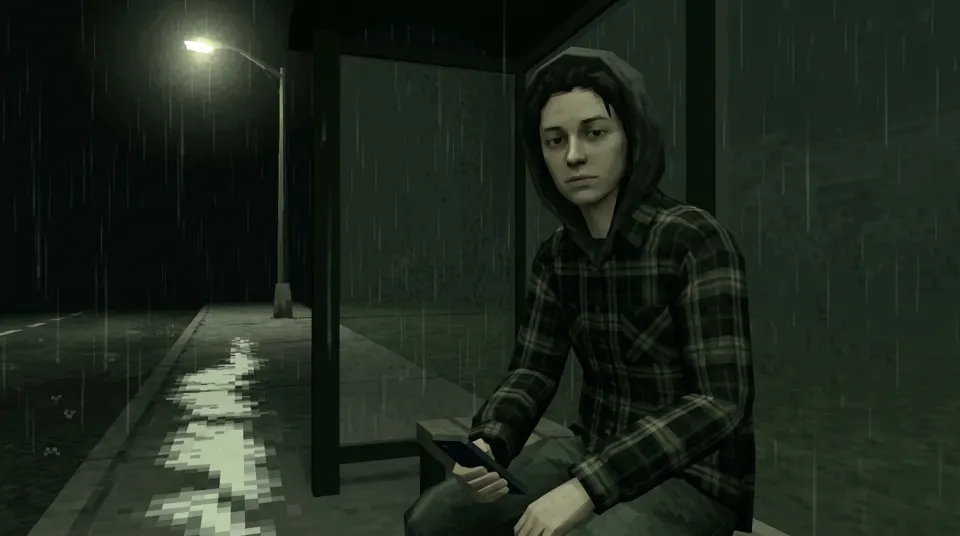
Memory Card · Slot 2
Rainy Bus Stop
Last saved 11:48 PM
Waiting for a bus that isn’t coming
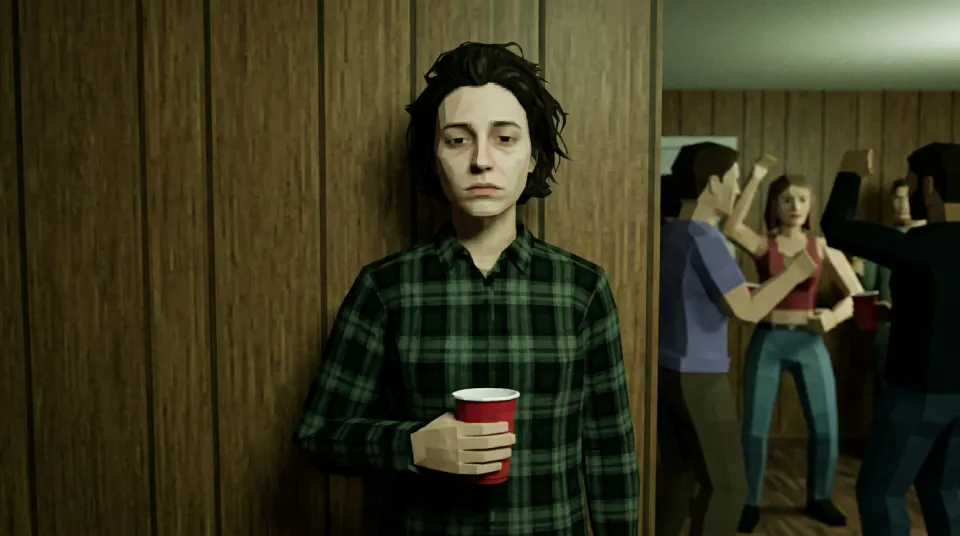
Memory Card · Slot 3
House Party (Wall)
Last saved 1:05 AM
Friends found: 0 · Red cup: 1
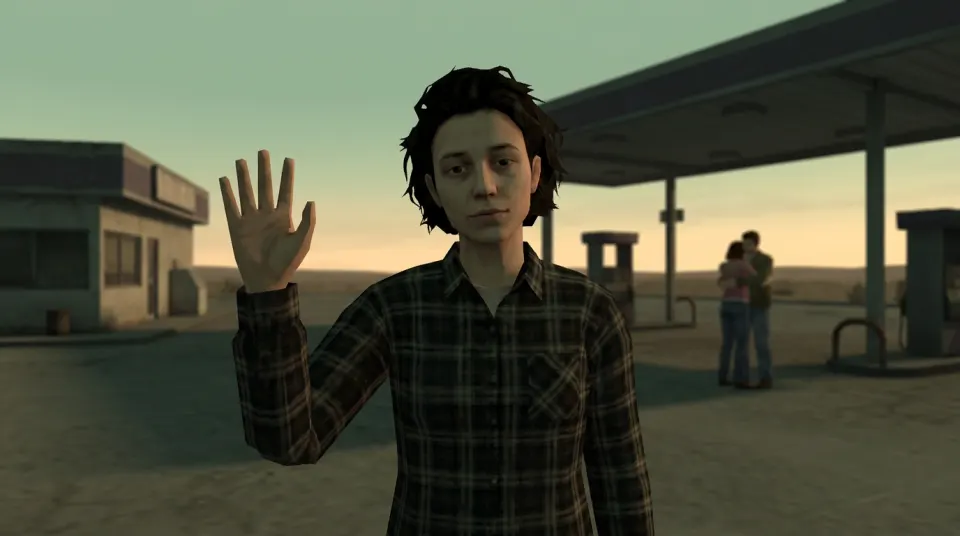
Memory Card · Slot 4
Gas Station Sunset
Last saved 7:40 PM
Waved first. Nobody waved back.
What makes a PS2 save icon look right
- One object or one character, centred, on a dark tile. The original icons were tiny, so they read at a glance.
- A soft rim of light: cyan or blue glow around the tile, as if it sits in the console browser.
- Low-poly shapes and muddy textures instead of a sharp photo. The generator handles this part.
- Save text: slot, save name, a time stamp and one status line. The emotional version makes that line sad or funny.
How to make a save icon from your selfie
- Generate a still of yourself below. Pick the scene that matches the save name you want.
- Crop a square around your character. The losercore pfp page crops a completed paid still into a square in your browser.
- Put the square on a dark rounded tile with a soft glow, then add the save text in Canva, Figma or CapCut.
The result is a flat PNG. It does not rotate like a real save icon and it cannot be copied to a memory card.
Save icon picture generator
Sign in and upload a selfie you have permission to use. You get a landscape 16:9 PNG at 1K to crop. An eligible verified account may get one free watermarked still when the trial is enabled and daily capacity remains.
Style: PS2
1. Your photo
One clear photo of a face. JPG, PNG or WebP, up to 10MB.
Sign in to upload a photo. Your first still is free (watermarked); more stills and videos use credits.
Free first still
Sign in to make one free watermarked still. Video costs 10 credits.
One free still in total, whichever style or page you use.
Pricing, free-still rules and AI models
Before you generate
- Sign-in is required to upload a photo and generate.
- Free first still: after you sign in, you can make one free still with a losercoreai.com watermark, limited to one per account and one per device. Video is never part of the free still, and a daily cap may apply.
- Paid: a still costs 2 credits. A video costs 10 credits and includes the still.
- A paid generation that fails refunds its credits.
AI models
Images are AI-generated with Nano-Banana-2 through HiAPI.
Supported video models through HiAPI: Kling 2.5 Turbo, Hailuo 2.3 Fast, PixVerse v6 and Seedance 2.0 Mini. The model used depends on service settings and availability.
This is an independent service, with no official affiliation with or endorsement by these model providers.
Result
Related pages
- Put the save cards on a title screen with the PS2 menu aesthetic recipe.
- Same character look, filter-style walkthrough: PS2 filter online.
- Animate the icon into a short clip with photo to PS2 video.
Losercore AI is independent of Sony and of any game studio, and does not host or rip real console save icons.
PS2 save icons FAQ
- What are PS2 save icons?
- On the PlayStation 2, game saves on a memory card were shown with small 3D icons that turned slowly in the console browser, each one made by the game studio. The PS2 save icon aesthetic borrows that idea: a small object or character on a dark, softly lit tile with a save name and time.
- Can I make a PS2 save icon of myself?
- You can make the picture for one. Generate a still of yourself in a lonely scene, then crop a square around your character. The pfp page crops a completed paid still into a square in your browser. The result is a flat image, not a rotating 3D model.
- Can I put this icon on a real PS2 memory card?
- No. The download is a PNG picture, not a console icon file, and this site does not make memory card saves, mods or homebrew tools.
- What is an emotional save card?
- It is a meme layout: a save slot that reads like a diary line, such as a scene name, a late-night time stamp and a sad status like “Progress: 0%”. The cards on this page are HTML mockups that show the layout; you write your own text in any editor.
- Are PS2 save icon assets on this page free to download?
- The mockups are examples, not an asset pack. Real console save icons belong to the studios that made them, so this page does not host or rip them.
- How much does a save icon picture cost?
- After you sign in, your first still is free with a losercoreai.com watermark: one per account and device, and a daily cap may apply. Otherwise a still costs 2 credits and a video costs 10 credits. Video is never part of the free trial.
See credit packs and pricing before choosing a paid option.