PS2 Filter Online: Turn Your Photo into a PS2 Character
An AI PS2 filter for photos that runs in your browser. Upload a selfie, pick one of five lonely low-poly scenes and download a 16:9 PNG. Sign in so the generator can keep your uploads, jobs and credits together. After you sign in, your first still is free with a watermark: one per account and device, stills only, and a daily cap may apply.
Example results
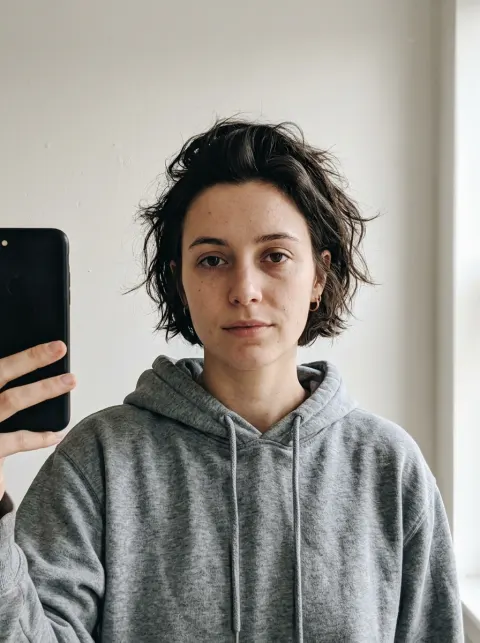
See more examplesReal outputs from our generator, made from an AI-generated selfie of a fictional person. Your result will differ.
Style: PS2
1. Your photo
One clear photo of a face. JPG, PNG or WebP, up to 10MB.
Sign in to upload a photo. Your first still is free (watermarked); more stills and videos use credits.
Free first still
Sign in to make one free watermarked still. Video costs 10 credits.
One free still in total, whichever style or page you use.
Pricing, free-still rules and AI models
Before you generate
- Sign-in is required to upload a photo and generate.
- Free first still: after you sign in, you can make one free still with a losercoreai.com watermark, limited to one per account and one per device. Video is never part of the free still, and a daily cap may apply.
- Paid: a still costs 2 credits. A video costs 10 credits and includes the still.
- A paid generation that fails refunds its credits.
AI models
Images are AI-generated with Nano-Banana-2 through HiAPI.
Supported video models through HiAPI: Kling 2.5 Turbo, Hailuo 2.3 Fast, PixVerse v6 and Seedance 2.0 Mini. The model used depends on service settings and availability.
This is an independent service, with no official affiliation with or endorsement by these model providers.
Result
PS2 filter example clip
Original AI-generated example clip for illustration, not output of our generator; no real people.
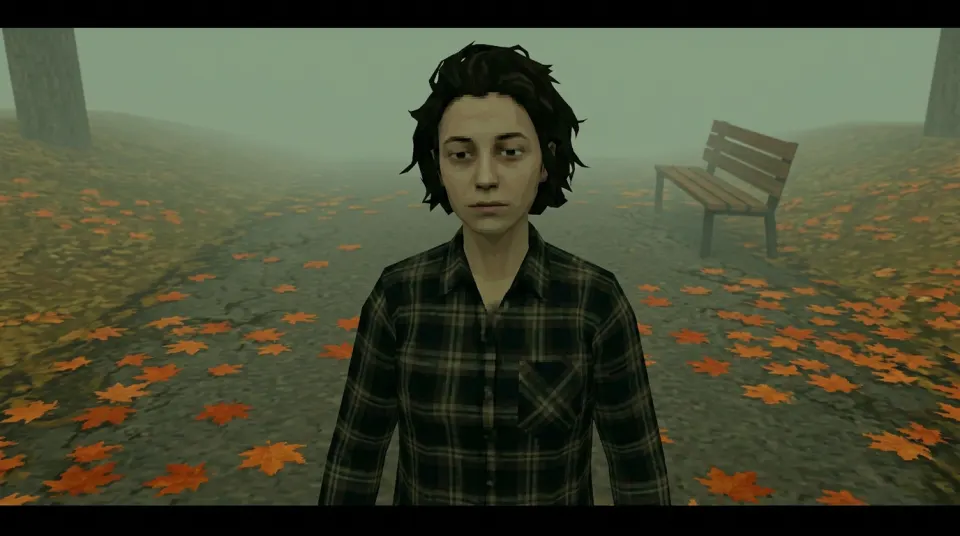
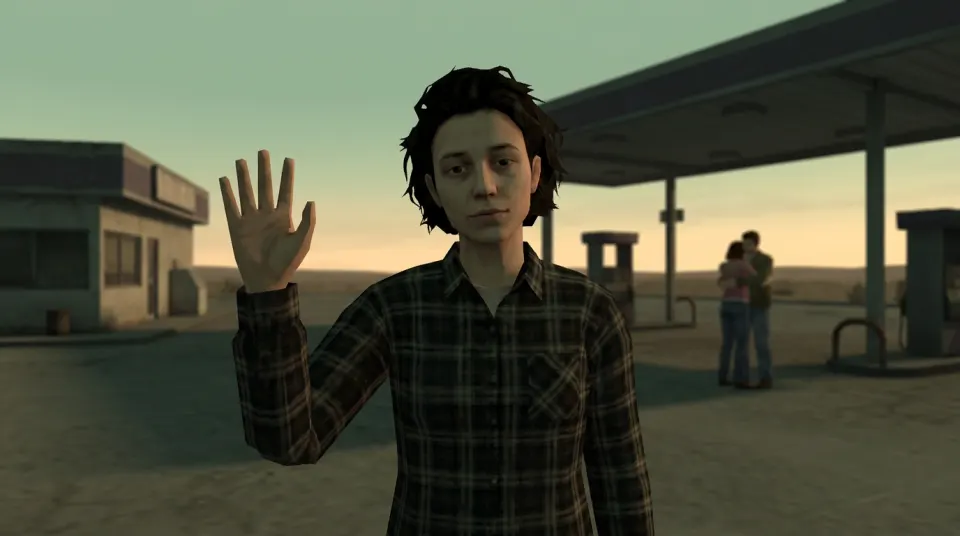
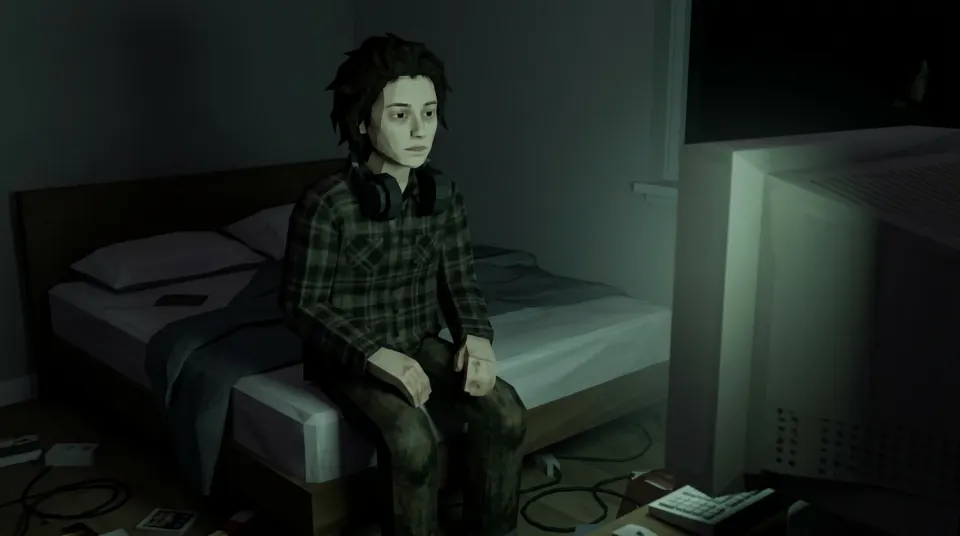
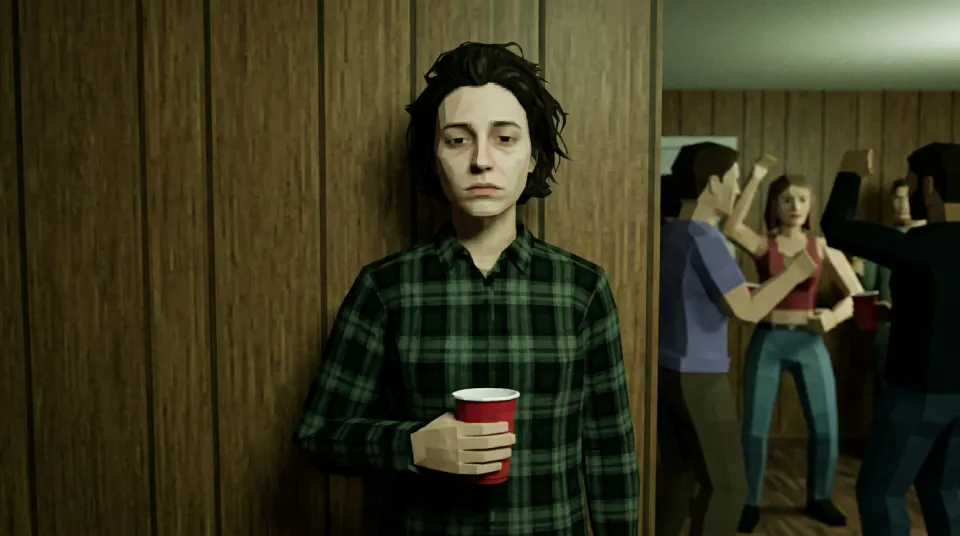
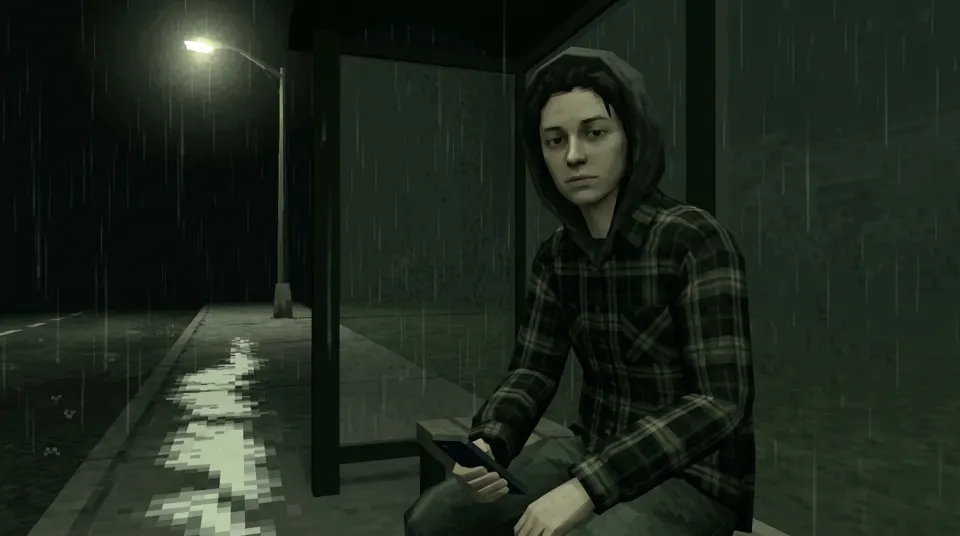
Real demo samples: five lonely PS2 stills
Example stills from the five lonely presets (demo face). The PNG outputs are shown as resized, compressed WebP previews. The input selfie is AI-generated and shows a fictional person, not a customer or a real individual. Your result will differ with your photo. Want the moving clip? See all video examples or start on photo to PS2 video.
How to make or get the PS2 filter on a photo
- Sign in and upload one clear face photo you have permission to use: JPG, PNG or WebP, up to 10MB.
- Choose a scene: Foggy park, Gas station sunset, 3 a.m. bedroom, House party wall, Rainy bus stop. Keep Image selected for a still.
- Generate, review the result, then download the 1K PNG. Switch to Video when you want the same scene animated.
What this PS2 filter does (and does not do)
The PS2 filter trend copies the look of an early-2000s PlayStation 2 cutscene: blocky faces, muddy textures, stiff poses and muted, slightly green lighting. People also search for a PS2 graphics filter, PS2 style filter or PS2 retro filter; this PS2 filter AI redraws the person in your photo as a low-poly character and places them in a new scene, so it is closer to a PS2 character filter than a CRT colour overlay, Remini enhancer or Photoshop action.
- Output: a landscape 16:9 PNG at 1K, or a 6-second MP4 with sound in Video mode.
- Cost: a paid still is 2 credits and a video is 10 credits. A paid job that fails refunds its credits.
- Not included: a PlayStation 2 emulator, a 3D model, a game-engine shader, free-text prompts or a TikTok in-app effect.
Posting on TikTok or Instagram? Download the file and upload it in the app yourself. Results are landscape, so crop or letterbox them for a vertical post. The PS2 filter on TikTok guide, the CapCut guide and the Instagram guide walk through each step.
More PS2 filter tools
- Want to choose and compare every lonely scene? Open the PS2 character generator.
- Starting from a portrait or old photo? Read photo to PS2 graphics for photo tips.
- Using ChatGPT or Gemini instead? Copy a PS2 filter prompt for an external editor.
- Want movement? The PS2 filter for video animates your selfie into a 6-second clip with sound, and the losercore AI video generator covers the meme side.
- Searching for a broader look? The retro video game filter and the losercore generator use the same tool.
- Comparing tools? Read the honest best PS2 filter comparison.
- Browsing CapCut templates or Shorts edits? See the CapCut PS2 templates catalog and the PS2 filter on YouTube guide.
New to the meme? Read what losercore means. Losercore AI is independent of the losercore playlist and its creators.
PS2 filter FAQ
- Is this PS2 filter online and free?
- It runs online in your browser, and you sign in so uploads, jobs and credits belong to your account. After you sign in, your first still is free with a losercoreai.com watermark: one per account and device, and a daily cap may apply. Otherwise a still costs 2 credits and a video costs 10 credits. Video is never part of the free trial.
- Is there a PS2 filter app I need to download?
- No app install is needed. The PS2 filter works in a desktop or mobile web browser. Upload one JPG, PNG or WebP photo up to 10MB that you have permission to use.
- Is there a free PS2 filter with no sign-up?
- Not here. Sign-in is required for every job, including the free one, so uploads, results and credits stay with your account. After you sign in, your first still is free with a losercoreai.com watermark: one per account and device, and a daily cap may apply. Otherwise a still costs 2 credits and a video costs 10 credits. Video is never part of the free trial. Some other tools advertise no sign-up; check what they keep and whether video or watermark-free downloads are really free.
- Is the PS2 filter on the App Store or Google Play?
- No. This is a browser tool, not a phone app or an App Store or Google Play filter. Open the site in Safari, Chrome or another mobile browser, generate there and save the download to your camera roll.
- How do I use the PS2 filter for TikTok or Instagram?
- This is not a built-in TikTok, Instagram or CapCut effect. Make the image here, download the PNG or MP4, then post it in the app yourself. Results are landscape 16:9; crop or letterbox them in your editor for a vertical post. The PS2 filter on TikTok guide walks through every step.
- Can the PS2 filter turn my photo into a video?
- Yes. Switch the generator to Video and it first makes the PS2-style still, then animates it into a 6-second 16:9 MP4 clip with AI-generated sound. A video costs 10 credits, including the still, and is not covered by the free trial.
- Is this an AI PS2 filter or an overlay effect?
- It is an AI PS2 filter. An image model redraws the person in your photo as a low-poly character inside a new scene, instead of laying a CRT or texture effect over the original picture. It is not a PlayStation 2 emulator, and the likeness can differ from your photo.
- What is losercore?
- Losercore (or loser core) is internet slang for an aesthetic built around loneliness, awkwardness and sad music. The playlist meme pairs those songs with lonely low-poly scenes that look like an early-2000s game cutscene. Losercore AI makes that kind of still or clip from your own photo; it is independent of the Spotify playlist and its creators.
- What do I download from the PS2 filter?
- A landscape 16:9 PNG at 1K resolution in one of five scenes: foggy park, gas station sunset, 3 a.m. bedroom, house party wall or rainy bus stop. It is a flat image, not a 3D model or game asset.
- Can I type my own PS2 filter prompt?
- No. The on-site PS2 filter uses five fixed scene presets and does not accept free-text prompts. The PS2 filter prompt guide has copyable recipes for external tools such as ChatGPT or Gemini.
- How do I make or get a PS2 filter on my photo?
- Sign in, upload one clear selfie you have permission to use, pick a scene and generate. Download the 16:9 PNG still, or switch to Video for a 6-second clip with sound. There is no separate filter file to install; the PS2 look is generated on this site.
- Is this a PS2 CRT, Remini or Photoshop filter?
- No. It is not a CRT overlay, a Remini-style enhancer, or a Photoshop action or plugin. An AI model redraws you as a low-poly character in a new scene. For free-text prompts in ChatGPT or Gemini, use the PS2 filter prompt guide.
- Is this a PS2 face filter or camera filter?
- It needs a clear single-person face photo, but it is not a live camera filter, AR lens or phone camera app. You upload a still in the browser and download a generated image or short clip.
- Is this a ReShade, RetroArch or PS2 emulator filter?
- No. This is not a shader, emulator, ROM tool or CRT overlay. Sign in to upload one permitted single-person photo, and AI generates a PS2-style still in one of five lonely scenes. An optional 6-second 16:9 video with AI-generated sound uses credits; no song is added.
- Is there a PS2 filter without AI?
- This tool generates images with AI. It is not a manual edit or a non-AI shader. Label shared visuals as AI-generated.
Posting the result? Follow the TikTok, CapCut or Instagram guide.
See credit packs and pricing before choosing a paid option.