PS2 Menu Aesthetic: Low-Poly Menu Backgrounds and Recipes
The PS2 menu aesthetic is the feeling of sitting on an early-2000s title screen: a quiet low-poly scene drifting behind a short list of options, one row glowing, nothing happening until you press a button. Below are three original menu mockups built on our own demo stills, the recipe behind them and a way to make the background from your selfie.
Original PS2 menu background samples
Each background is a real still from the generator. The menu text, the glow and the hint bar are drawn in HTML and CSS on this page. The generator never draws menus, text, icons or interface panels. The input selfie is AI-generated and shows a fictional person, not a customer or a real individual.
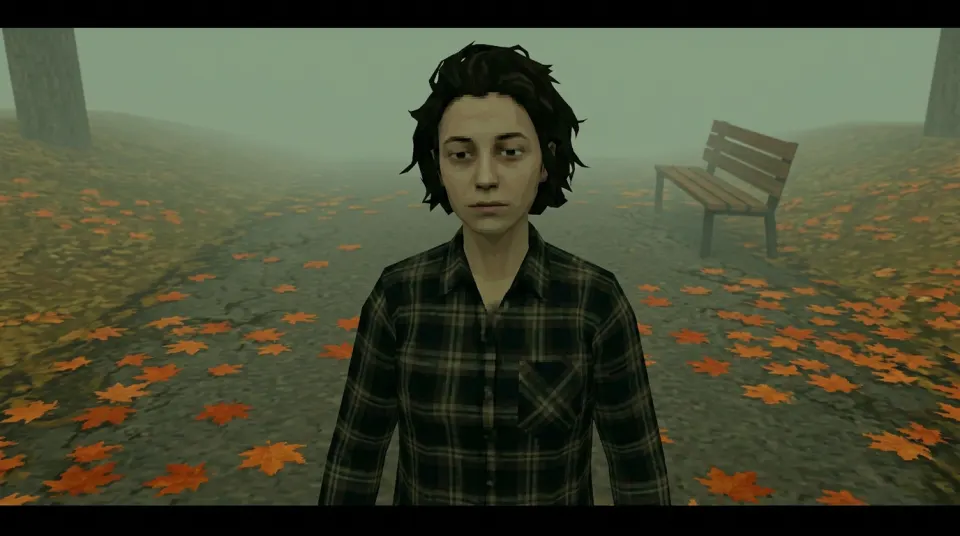
Foggy Park
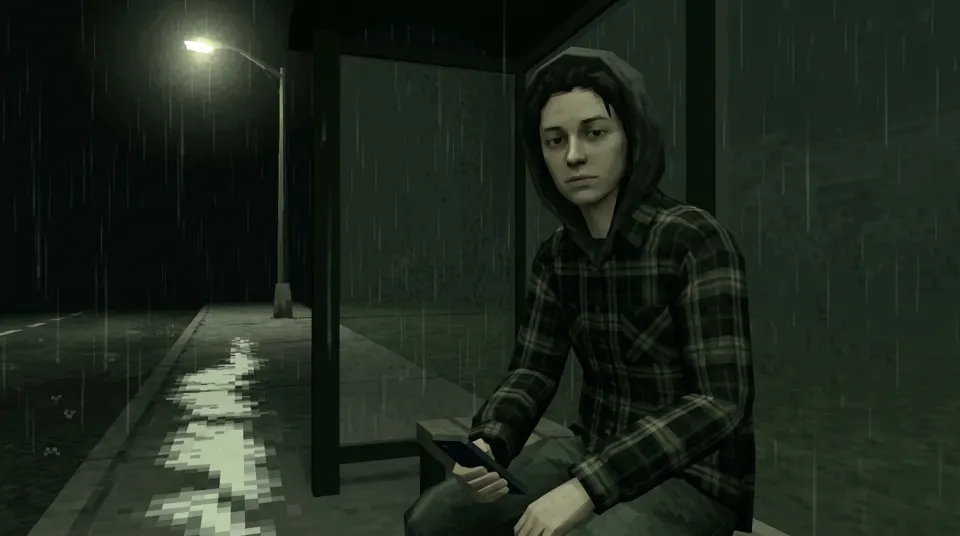
Last Bus
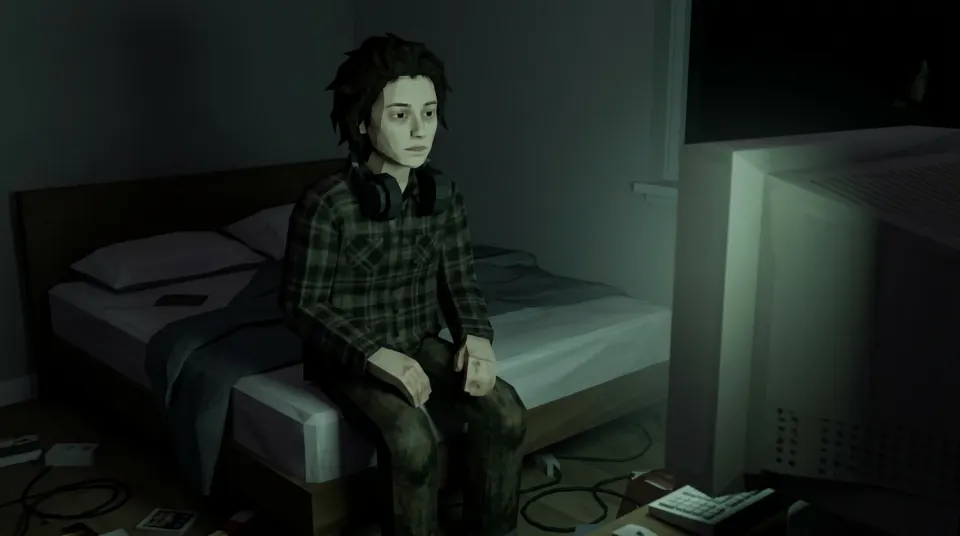
3:00 AM
PS2 menu aesthetic recipe
- Background: one empty low-poly place, muted and a little foggy. Darken or blur the side where the menu goes.
- Type: a wide, plain sans-serif in white or pale blue, three to five short options, generous letter spacing on the title.
- Selection: one row with a soft cyan glow or a translucent bar, never a hard box.
- Hint bar: small caps in a corner, like “Press any key”. Keep it faint.
- Motion (optional): a slow pan or a short loop. Video mode gives a 6-second MP4 you can loop under the text.
Want the menu to tell a joke? Pair the options with a caption from the losercore meme ideas. For the wider look, read the PS2 aesthetic guide.
Make the menu background from your selfie
Sign in, upload a selfie you have permission to use and pick a scene. You get a landscape 16:9 PNG at 1K, ready to sit behind your own menu text in CapCut, Canva or Figma. An eligible verified account may get one free watermarked still when the trial is enabled and daily capacity remains.
Style: PS2
1. Your photo
One clear photo of a face. JPG, PNG or WebP, up to 10MB.
Sign in to upload a photo. Your first still is free (watermarked); more stills and videos use credits.
Free first still
Sign in to make one free watermarked still. Video costs 10 credits.
One free still in total, whichever style or page you use.
Pricing, free-still rules and AI models
Before you generate
- Sign-in is required to upload a photo and generate.
- Free first still: after you sign in, you can make one free still with a losercoreai.com watermark, limited to one per account and one per device. Video is never part of the free still, and a daily cap may apply.
- Paid: a still costs 2 credits. A video costs 10 credits and includes the still.
- A paid generation that fails refunds its credits.
AI models
Images are AI-generated with Nano-Banana-2 through HiAPI.
Supported video models through HiAPI: Kling 2.5 Turbo, Hailuo 2.3 Fast, PixVerse v6 and Seedance 2.0 Mini. The model used depends on service settings and availability.
This is an independent service, with no official affiliation with or endorsement by these model providers.
Result
Where to go next
- Just want the character look? Try the PS2 filter online or photo to PS2.
- Building the menu in CapCut? Browse CapCut PS2 templates made by other creators.
- Turn one menu row into a save slot with PS2 save icons, or frame yourself in a Vectorheart character card.
Losercore AI is independent of Sony and of any game studio. The mockups are original and use no console or game assets.
PS2 menu aesthetic FAQ
- What is the PS2 menu aesthetic?
- It is the look of early-2000s console title and option screens: a slow low-poly scene or foggy abstract space behind the menu, a short list of chunky labels, a soft glowing highlight on the selected row and a hint bar at the bottom. People use it for wallpapers, stream overlays, video intros and edits.
- Is this the real PlayStation 2 system menu?
- No. Nothing on this page copies the console system menu, its sounds or any game assets, and the site is not affiliated with Sony. The menu mockups here are drawn in HTML and CSS over our own demo stills to show the recipe.
- Can the generator make a PS2 menu background from my selfie?
- It makes the background, not the menu. Upload a selfie you have permission to use, pick the foggy park, gas station sunset, 3 a.m. bedroom, house party wall or rainy bus stop scene and you get a landscape 16:9 PNG at 1K. The generator never draws menus, text, icons or interface panels, so add the option list yourself in an editor such as CapCut, Canva or Figma.
- Which scene works best behind a menu?
- Scenes with an empty side leave room for the list. The foggy park and the rainy bus stop have quiet negative space; the 3 a.m. bedroom is darker, so a light text colour reads better on it.
- Can I make an animated PS2 menu loop?
- Switch the generator to Video to animate the still into a 6-second clip with sound, then place your menu text on top in a video editor and loop it. The clip has no menu text; you add it, and you can swap the sound for music you have the rights to.
- Is the PS2 menu background generator free?
- After you sign in, your first still is free with a losercoreai.com watermark: one per account and device, and a daily cap may apply. Otherwise a still costs 2 credits and a video costs 10 credits. Video is never part of the free trial.
See credit packs and pricing or the losercore generator.